Digital Microscope 50-1000X Magnification for Scalp Therapy
$230.00
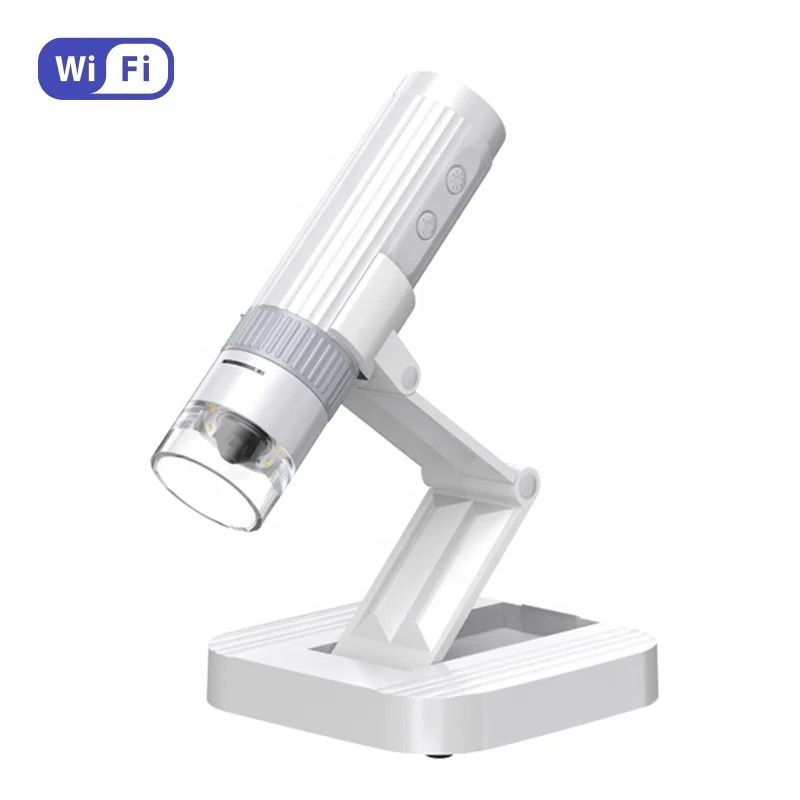
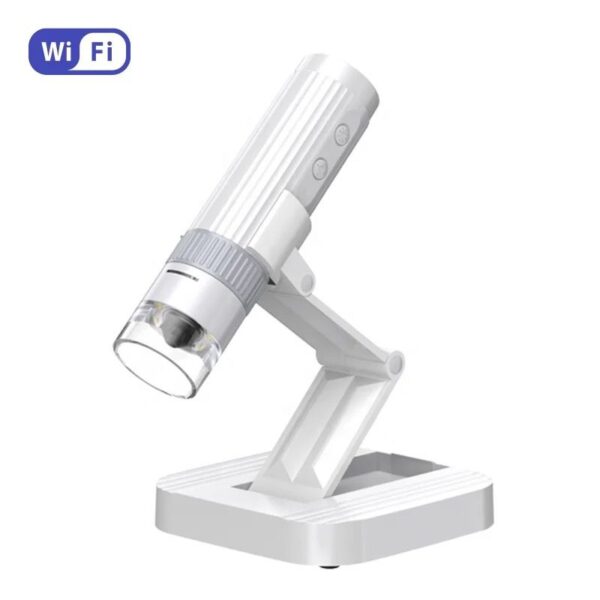
Scalp Analysis Microscope with 50–1000X adjustable magnification, eight LED lights and 1920 × 1080 imaging for detailed hair and scalp assessments. Wi-Fi connectivity, photo and video capture, and broad device compatibility make it a practical consultation tool for head spas, salons and clinics.
Scalp Analysis Microscope for Professional Consultations
Examine the hair and scalp in greater detail with the Scalp Analysis Microscope. Designed for head spas, salons and beauty clinics, this compact digital device provides 50–1000X adjustable magnification for close-up visual assessments during client consultations.
High-resolution 1920 × 1080 imaging and eight adjustable white LED lights help produce clear photos and videos. Professionals can use these images to discuss visible scalp concerns with clients, document observations and compare progress during future appointments.
Detailed Hair and Scalp Imaging
The digital scalp microscope features a manual focus wheel with a focus range of 0–40mm. Its adjustable magnification makes it suitable for viewing the scalp surface and hair in greater detail, while the built-in lighting can be increased or decreased to suit the treatment area and surrounding light conditions.
Images can be viewed in real time on a compatible mobile device through Wi-Fi using the Uni Lab app. The microscope can also connect to compatible Windows and Mac computers for convenient viewing on a larger screen.
Key Features and Benefits
- Adjustable magnification from 50X to 1000X
- 1920 × 1080 high-resolution imaging
- Captures photos in JPG format and videos in AVI format
- Eight adjustable SMD 3528 bright white LED lights
- Manual focus adjustment with a 0–40mm focus range
- Wi-Fi connectivity for real-time mobile viewing
- Digital zoom, photo capture and video recording through the app
- Compatible with supported Android, iOS, Windows and Mac devices
- Compact and lightweight design for portable use
- Rechargeable 700mAh battery and USB Type-C charging
Scalp Examination Device for Client Consultations
This hair analysis camera can support a more visual and informative consultation process. By displaying magnified images, beauty professionals can help clients better understand visible scalp and hair conditions before discussing an appropriate service or care routine.
The ability to save photos and videos also makes the device useful for maintaining consultation records and comparing visible changes over time. It is suitable for Japanese head spa services, scalp therapy consultations, hair assessments and other professional visual analysis applications.
How to Use the Digital Scalp Microscope
- Charge the microscope fully using the USB Type-C connection before use.
- Press and hold the power button for approximately three seconds.
- Connect a compatible mobile device through Wi-Fi and the Uni Lab app, or connect the microscope to a compatible computer using a data cable.
- Position the microscope over the area being examined without causing discomfort to the client.
- Adjust the manual focus wheel until the image appears clear.
- Use the lighting controls to increase or decrease the LED brightness as required.
- Capture photographs or videos when needed for consultation records.
- Clean the device carefully after use and store it in a dry, protected location.
Explore more professional scalp analysis and skin detection cameras for head spa and salon consultations.
Product Specifications
- Magnification: 50–1000X adjustable
- Image resolution: 1920 × 1080
- LED lighting: Eight adjustable SMD 3528 white LEDs
- Sensor size: 1/4 inch
- Focus range: 0–40mm manual focus
- Imaging distance: 3mm to infinity
- Wireless working range: Up to 10 metres in an open area
- Photo format: JPG
- Video format: AVI
- Battery: Built-in rechargeable 700mAh battery
- Operating time: Approximately 1.5 hours per charge
- Charging time: Approximately 1.5 hours
- Charging interface: USB Type-C
- Power supply: DC 5V 1A
- Mobile app: Uni Lab
- SKU: 75652
Device Compatibility
- Android 4.0 and above
- iOS 8.0 and above
- Windows XP, 7, 8 and 10
- Mac OS 10.5 or higher
Important Use Information
The Scalp Analysis Microscope is intended to support visual hair and scalp assessments only. It is not a medical diagnostic device and should not be used to diagnose or treat health conditions. Follow the supplied instructions, obtain appropriate client consent before capturing images and avoid charging the device for longer than 12 hours.
Related products
-
Agar Counterflu – Disinfectant – Hospital Grade
Price range: $50.00 through $370.00 Select options This product has multiple variants. The options may be chosen on the product page -
Serenity Deluxe Japanese Head Spa – No Plumbing
$4,250.00 Select options This product has multiple variants. The options may be chosen on the product page